Everything SeePantry does
One app, from the receipt to the plate.
Snap the receipt. Skip the typing.
Six ways in, and not one of them is typing 60 items by hand.
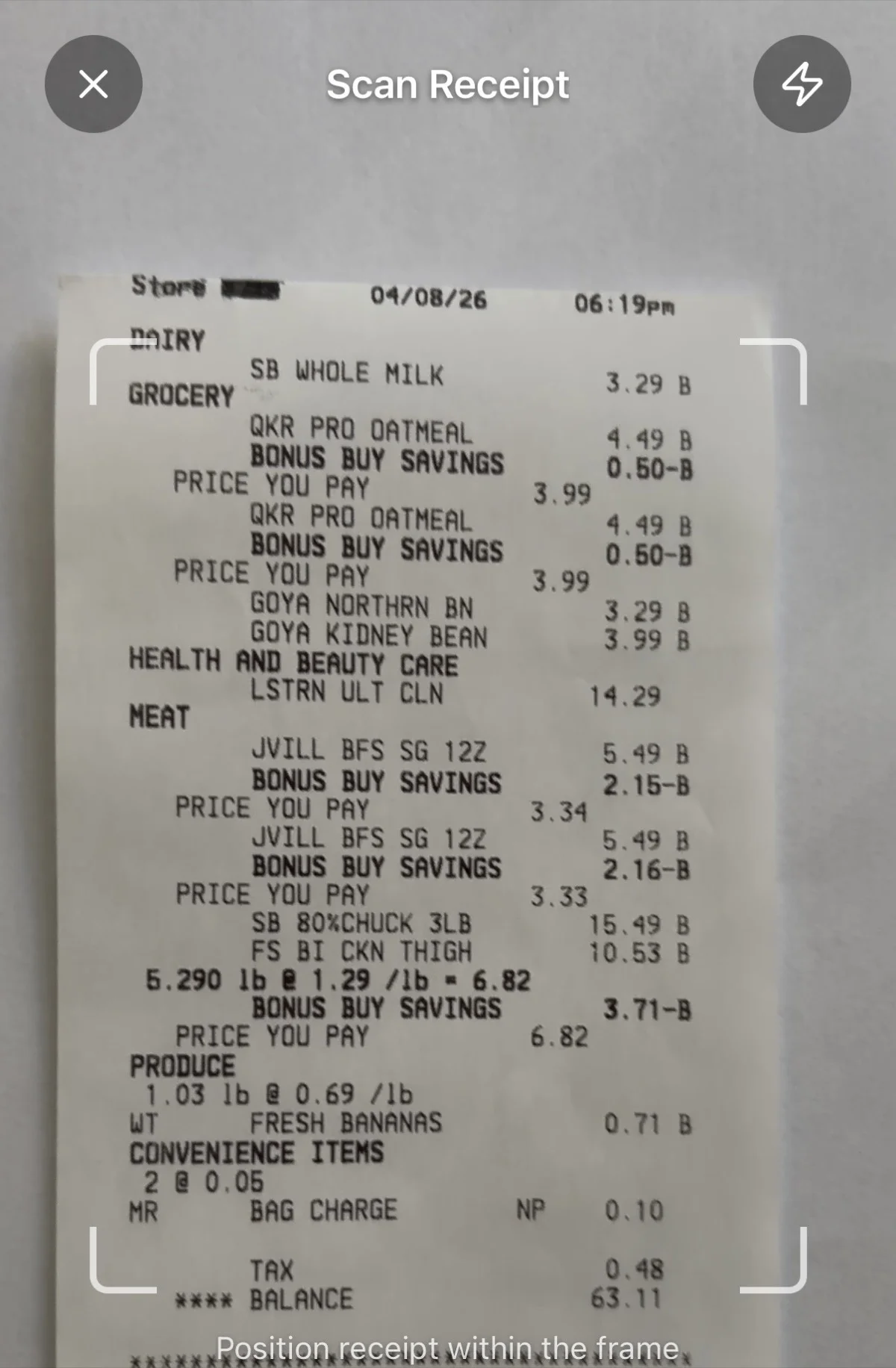
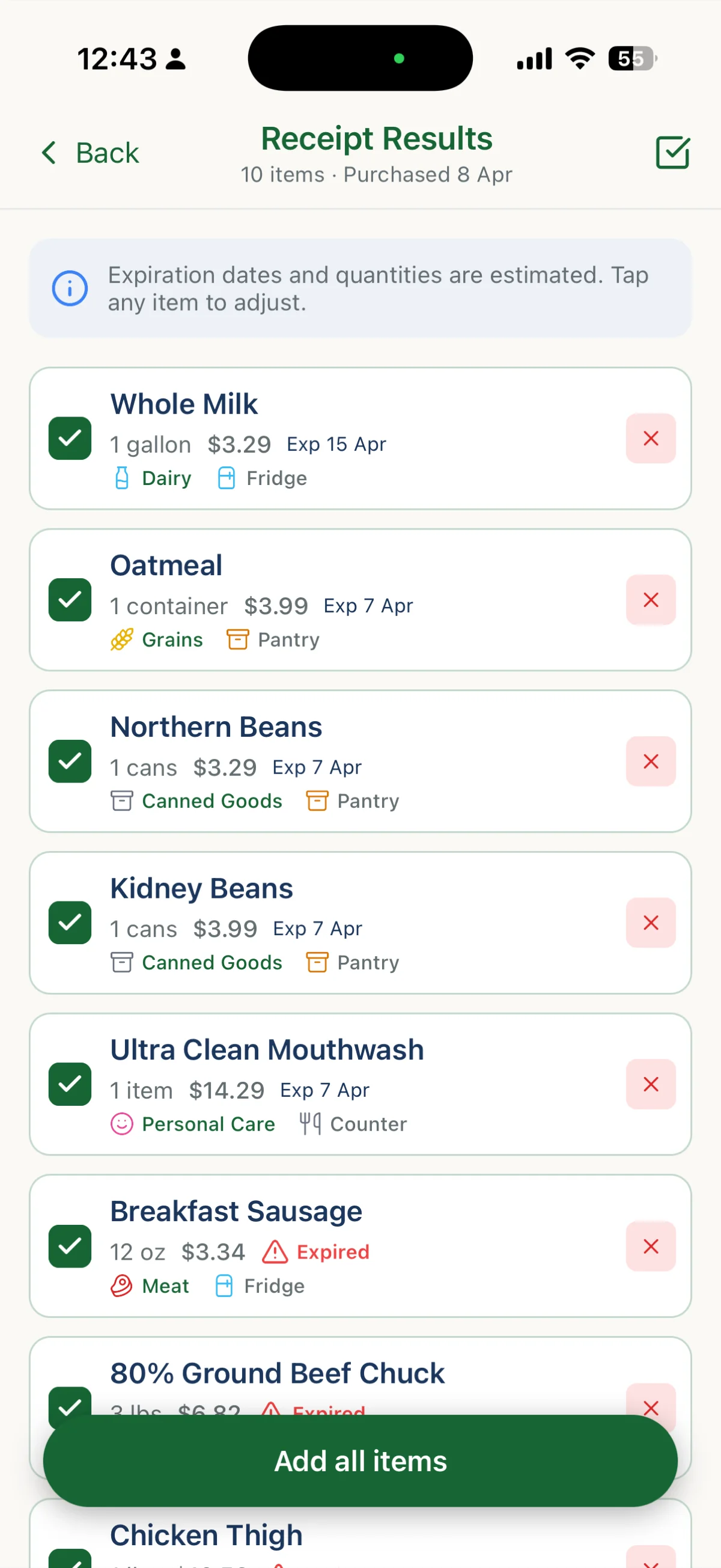
Photograph a receipt, or several at once, and the whole shop is logged with categories, storage locations, expiration dates and prices already filled in. It reads the purchase date off the receipt, flags anything new to your kitchen, tells you when a price is higher than you usually pay, and notices when you've scanned the same receipt twice. Prefer another way in? Photograph the inside of your fridge, scan a barcode (always free and unlimited), reel off a list out loud, type it with autocomplete and one-tap favorites, or import a CSV from another app with guided column mapping and one-tap undo.
Knows a loaf isn't one item.
A loaf is 16 slices. A head of garlic is 10 cloves. A carton is 12 eggs.
Cook a recipe that calls for 5 cloves and SeePantry deducts 5, not the whole head. What is left reads "5 cloves left", the stock bar shows the fraction, and low-stock alerts are expressed in slices rather than loaves. Partial use still counts toward the money you saved. Existing items pick this up automatically, and you can correct the count on any item.
Learns how much you actually use.
Buy a dozen eggs but only get through 8 before they turn? It notices.
After it has seen a few complete purchases, SeePantry starts flagging when you are about to buy more than you typically finish. "You usually use about 8 eggs" appears right under the quantity field, with a one-tap adjust. It only speaks up once it is confident, frames everything as a saving rather than a scold, and can be dismissed per item.
Every item, under control.
One tap to say you used it, wasted it, or that it is still fine.
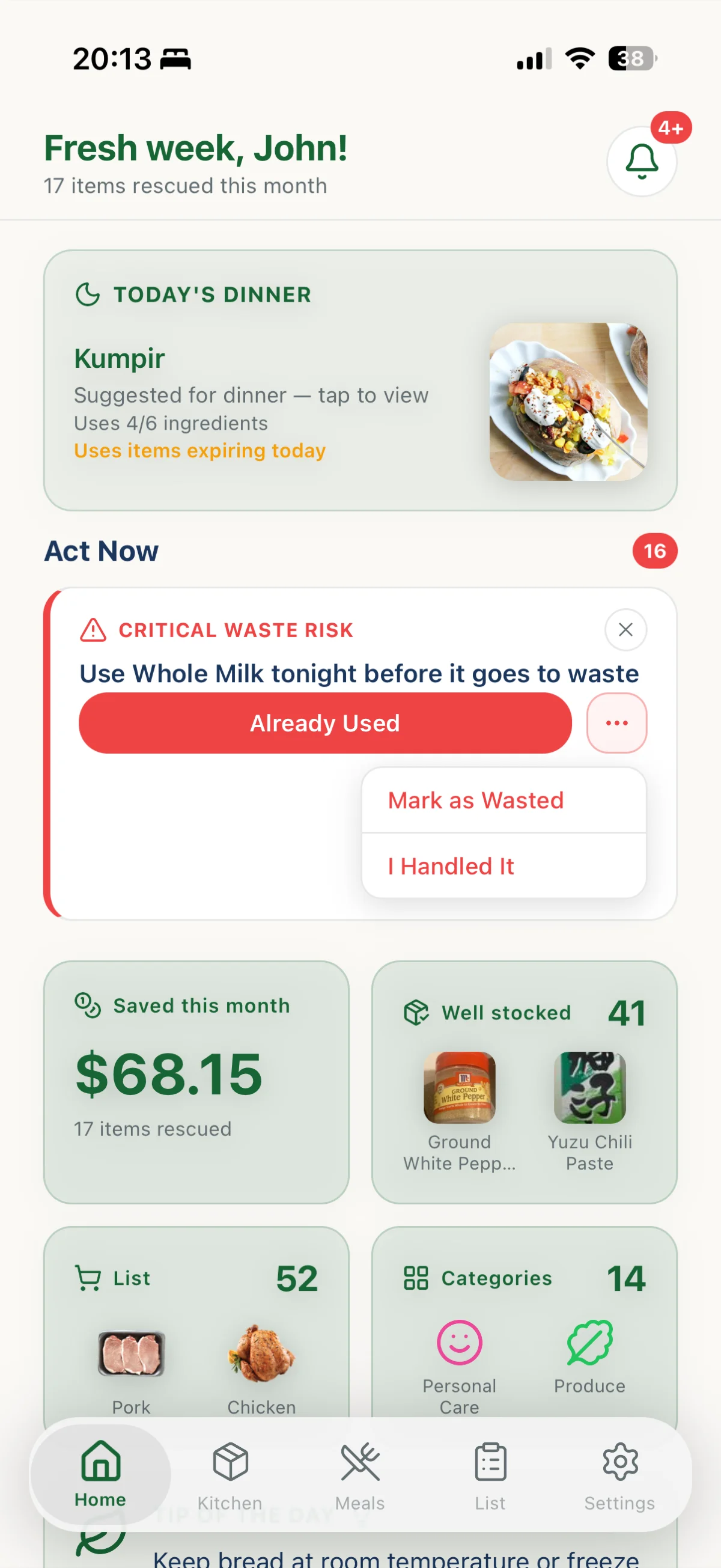
Past the date but still good? Extend it two days from the item itself. Used it up? Mark it used, and SeePantry offers to put it back on your shopping list in the same tap. Set a stock level and get told when you drop below it. Mark a jar opened and the date recalculates. Every item carries its price, purchase date and photo, can belong to you or to the whole household, and can be edited in bulk. Deleting something never counts against your waste stats, because you did not waste it.
Tells you what to do next.
Not a wall of expiry dates. A short, ranked list of what actually needs you today.
Kitchen Copilot scores every item for waste risk and surfaces only what matters now: eat this first, freeze that tonight, use this before Thursday. It warns you on the shopping list when you are about to re-buy something already in your kitchen. Every suggestion is advisory, and every action can be undone within 5 seconds.
Your whole home, not just the fridge.
29 categories, including the ones other trackers ignore.
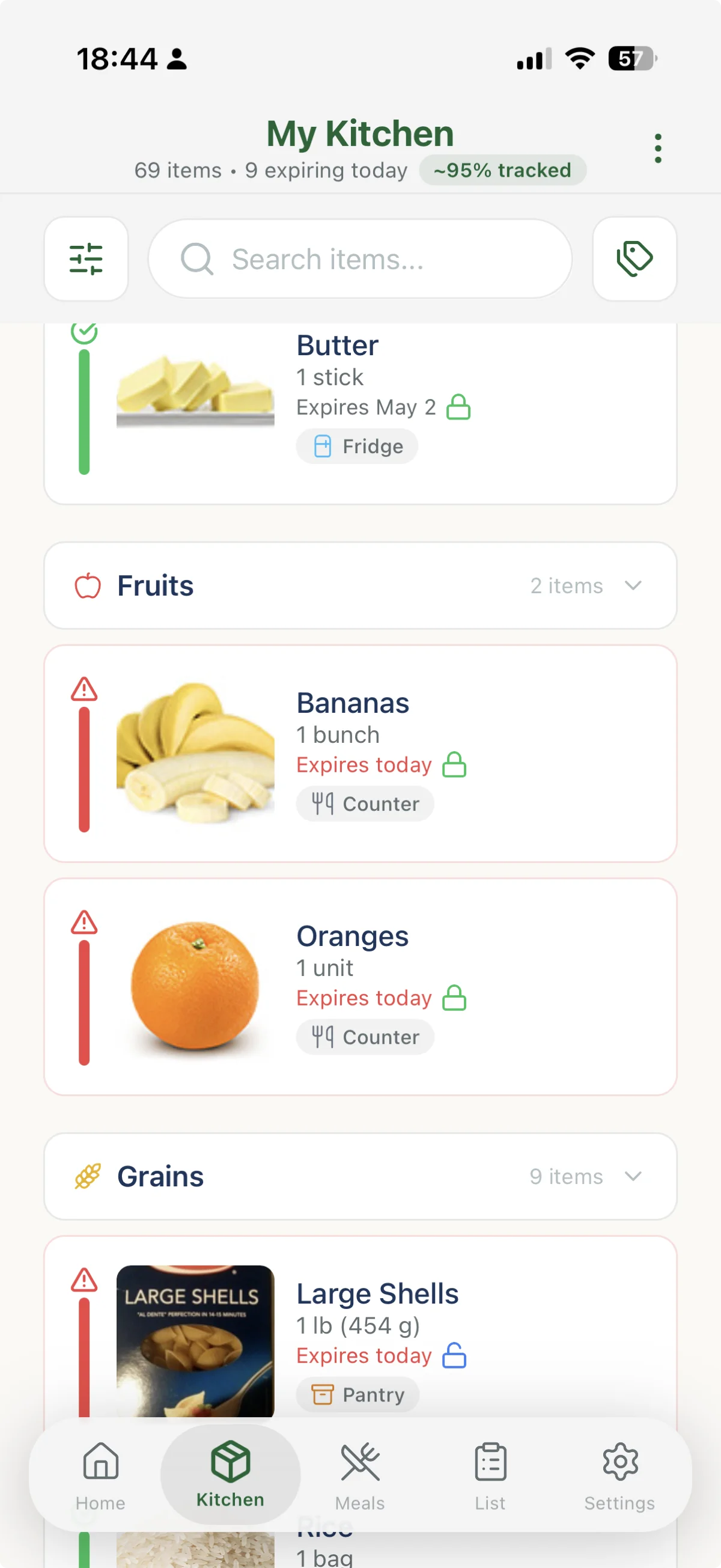
Medicines, cleaning supplies, personal care, pet food, paper goods and baby items live alongside your groceries, each with sensible shelf lives of their own. Four storage locations come built in (Fridge, Freezer, Pantry, Counter) and you can add your own, along with your own categories. Move something to the wrong place and SeePantry says so, because chicken on the counter is a food safety problem, not a preference. Dates are honest estimates based on typical storage, and the app tells you that rather than pretending to be a food safety authority.
Cook what you already own.
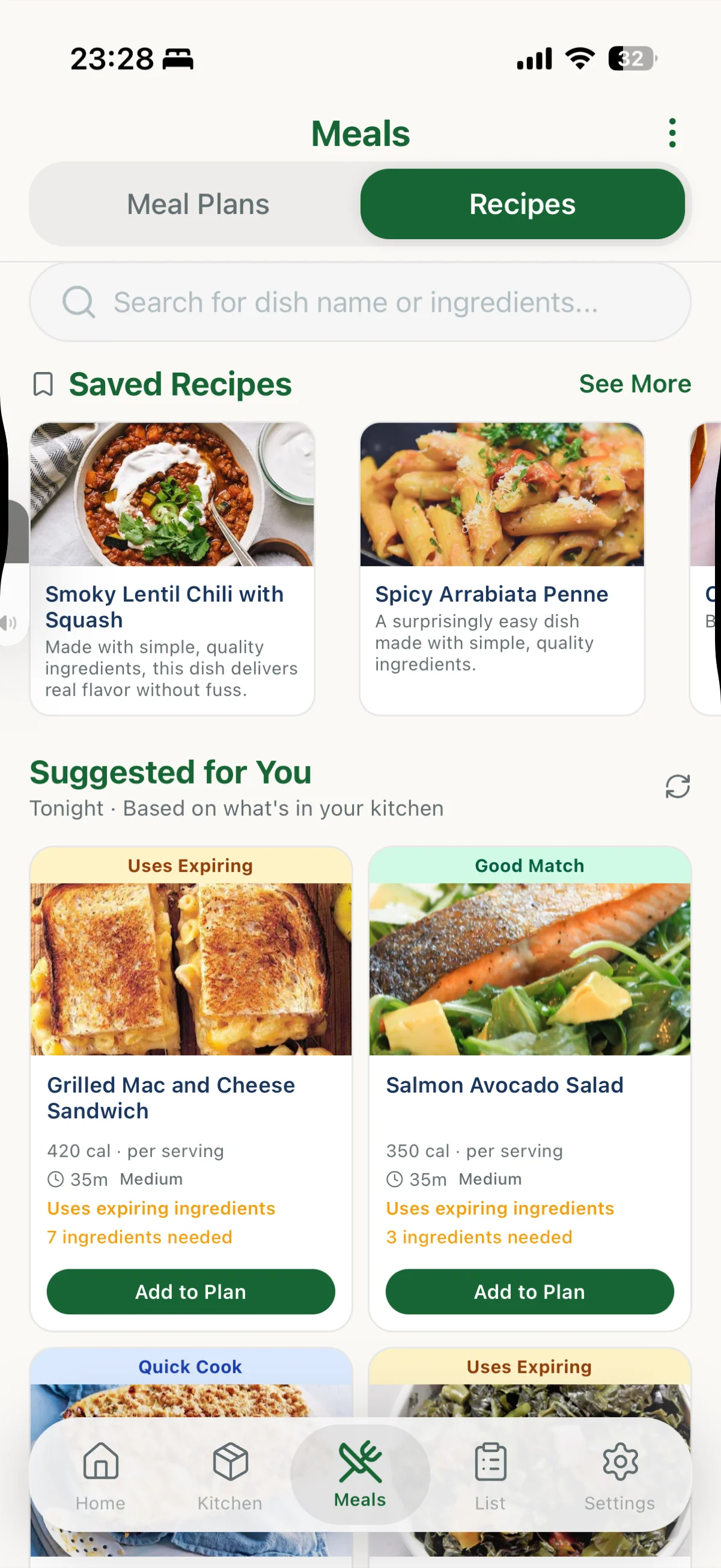
Recipes ranked by how much of them is in your kitchen, and which ones use what's expiring first.
Open any recipe and it tells you what you have and what you're short of, with the amount in stock beside each ingredient and staples flagged so you don't go shopping for salt. Missing something? Swap it for an ingredient you actually have, picked straight from your kitchen. Or send everything you're short of to your shopping list in one tap. Search by dish, or list several ingredients and see what uses all of them.
Every recipe you like, in one place.
Import from anywhere, keep them organized, and find them again.
Import a recipe from a URL, pasted text, or a photo of a cookbook page. Or share a link straight in from your browser, Instagram, TikTok or Pinterest. Keep the ones worth repeating in folders of your own, rate them once you've cooked them, and see community ratings before you commit. Filter by 14 recipe types and your dietary preferences, browse a Discover feed built from what's in your kitchen, and pull up anything you've made before under Cooked Recipes.
Add personal notes to every recipe.
Store your tips, tweaks, and family history all in one place.
Add notes to any recipe: cooking tips, ingredient substitutions, family tweaks, dietary modifications, or stories about where it came from. Mark which family member loves it, what worked well last time, and what to change next. Your notes stay with the recipe forever, across all your devices.
Cook without touching your phone.
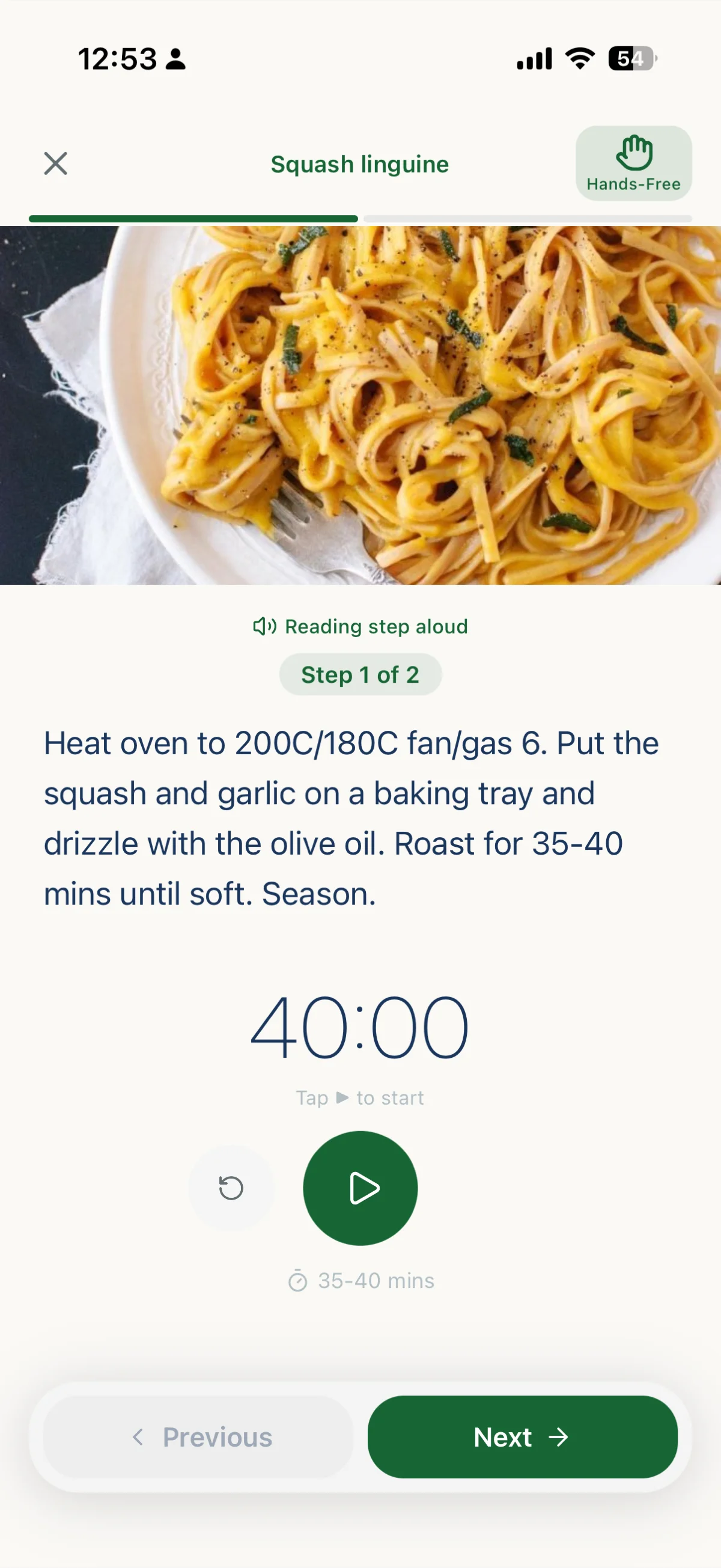
Cook Mode reads each step aloud and moves on by itself.
Timers run in the step that needs them, servings scale the ingredient list, and when you finish, the ingredients you used come out of your kitchen at the right sub-unit amounts, so five cloves leave five. Nutrition per serving is there too: calories, protein, carbs and fat.
Track leftovers so they don't disappear.
Meals cooked today become inventory tomorrow.
When you finish cooking in Cook Mode, save the leftovers directly to your kitchen with the exact amount remaining. Leftovers show up in their own section, with a reminder of which recipe they came from, so you can use them before they spoil instead of wondering what's in that container.
Plan the week your way.
Curated plans or build your own. Every meal knows what's in your kitchen.
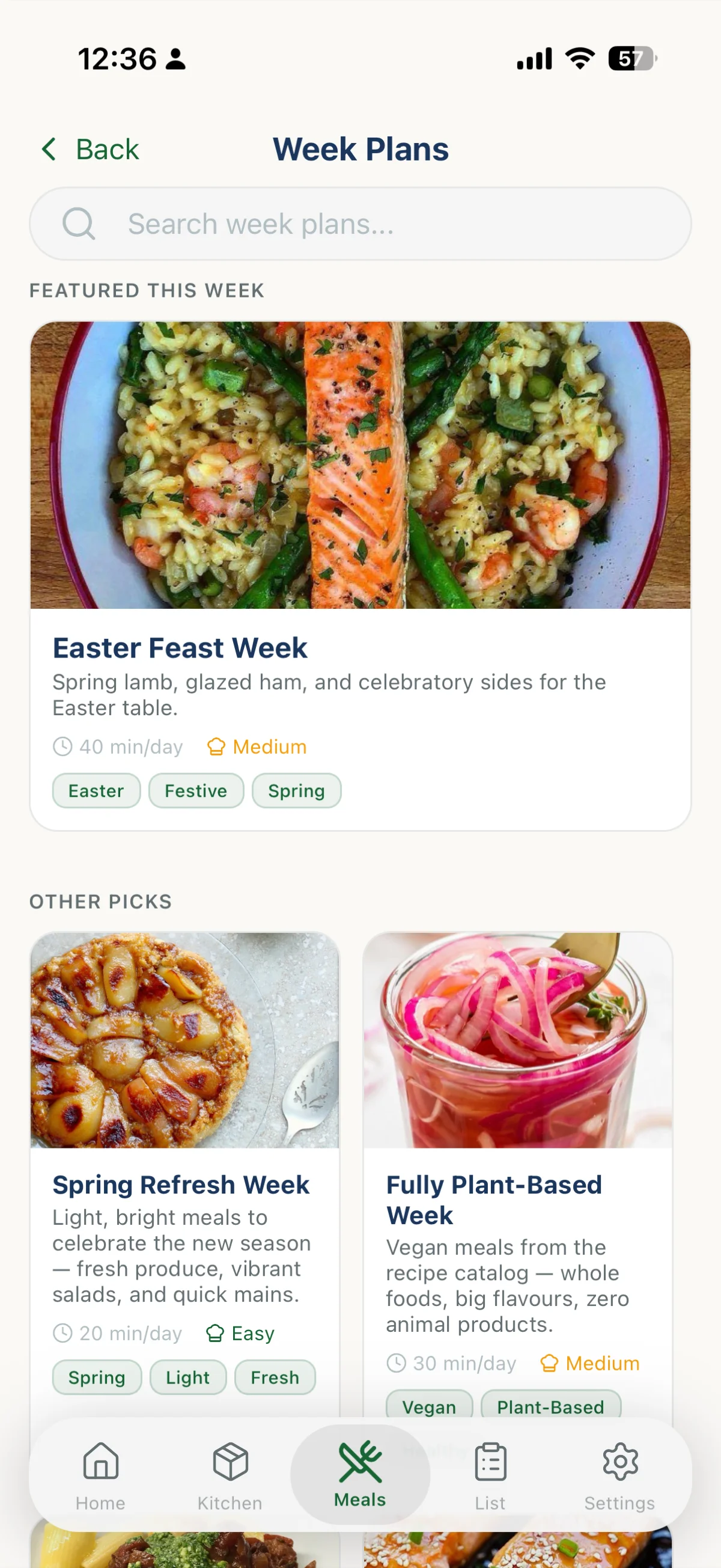
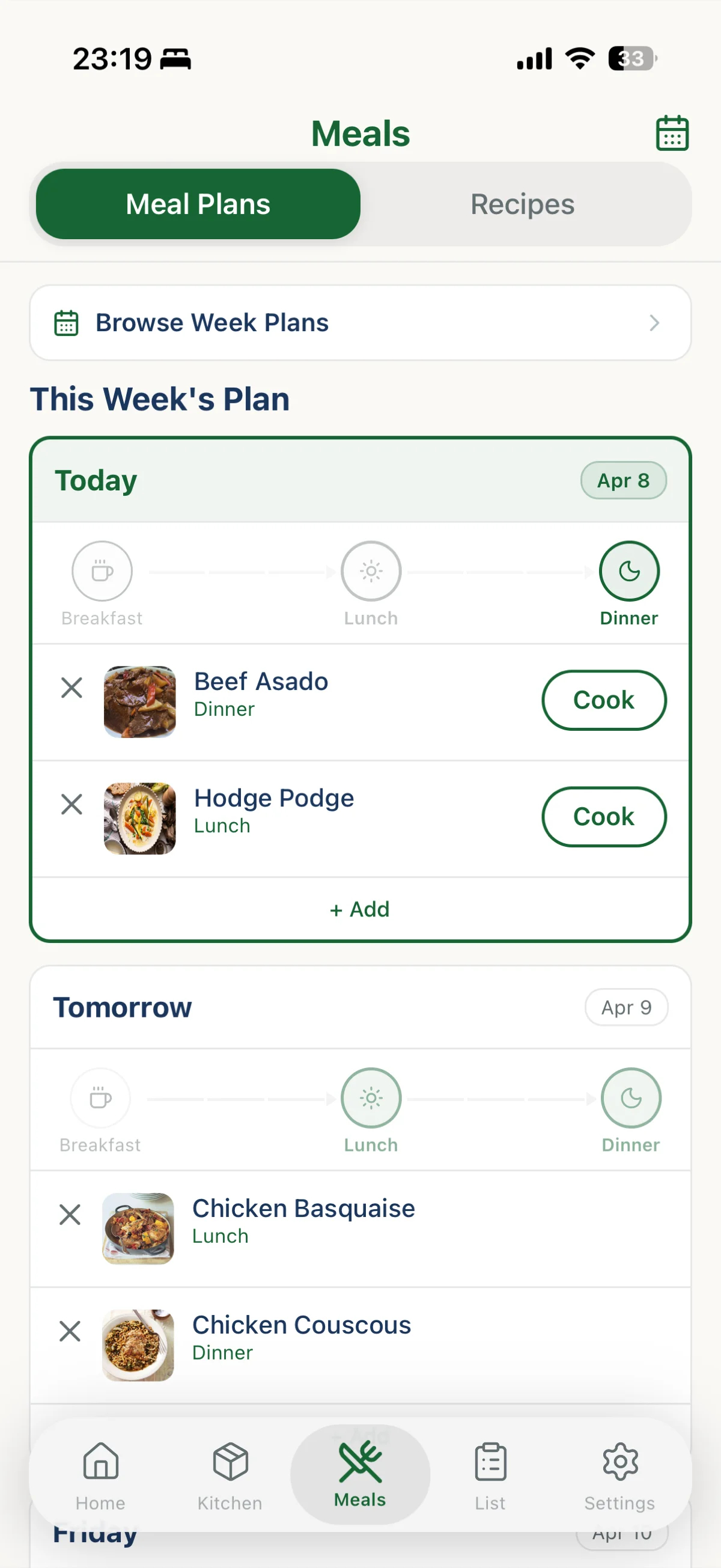
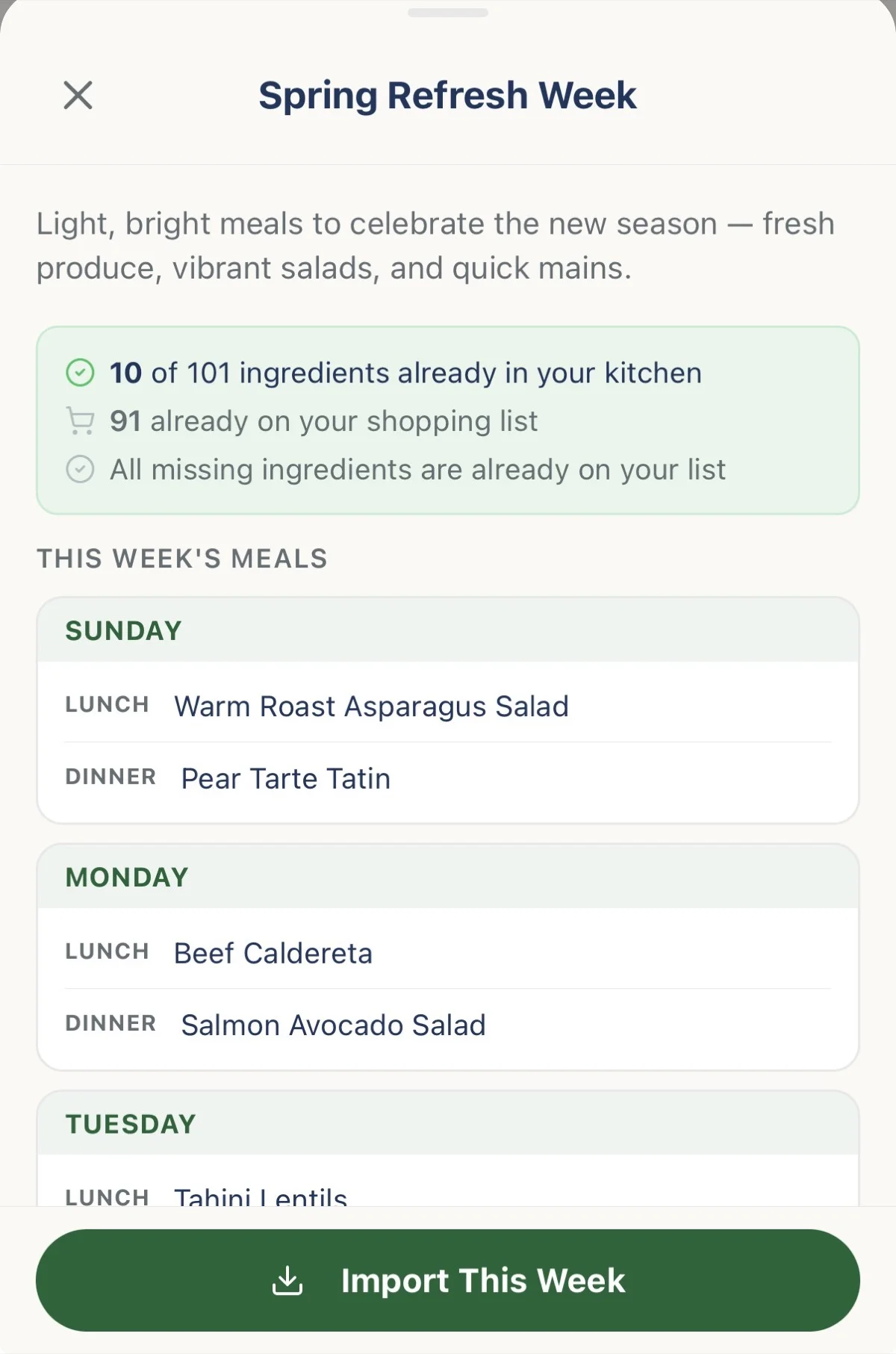
Browse curated week plans by cuisine, tag or occasion, and before you commit each one tells you how many of its ingredients are already in your kitchen and how long it takes per day. Or build your own plan by browsing recipes, dragging meals into your calendar, and swapping out anything that doesn't fit. One tap sends every ingredient you're missing for the entire week to your shopping list, skipping anything already on it. Cooked well last month? Import that week again and keep the meal types. Suggested for You fills breakfast, lunch and tonight from what is in your kitchen, and refreshes when you want different ideas.
A list that knows what's already in your kitchen.
It stops you buying the third jar of paprika. Find items at nearby stores.
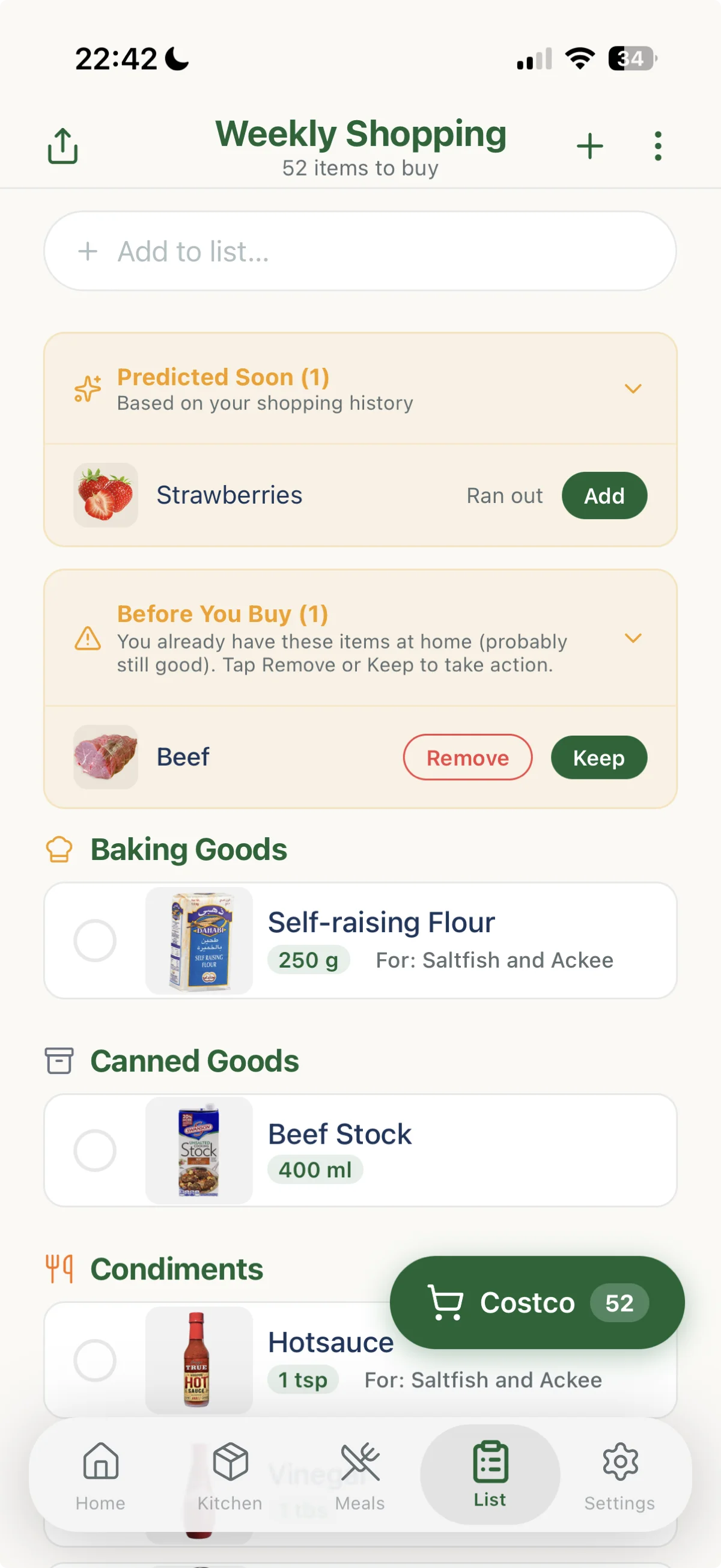
Before You Buy flags anything on your list you already have at home, and you decide whether to keep it or drop it. Predicted Soon works the other way, using your shopping history to show what you are about to run out of and how many days you have left, with one tap to add it. Items added from a recipe say which recipe they came from. Put prices on things and watch the running total as you shop, and the In Cart total as you check items off. Scan barcodes continuously in the aisle to tick items off without leaving the camera. Search your preferred stores to find where items are sold and at what price. Keep several named lists, park any of them as a draft, and share one by link that expires when you choose, from an hour to never. Finish the trip and everything lands in your kitchen, with the trip saved to your history.
See exactly what you saved.
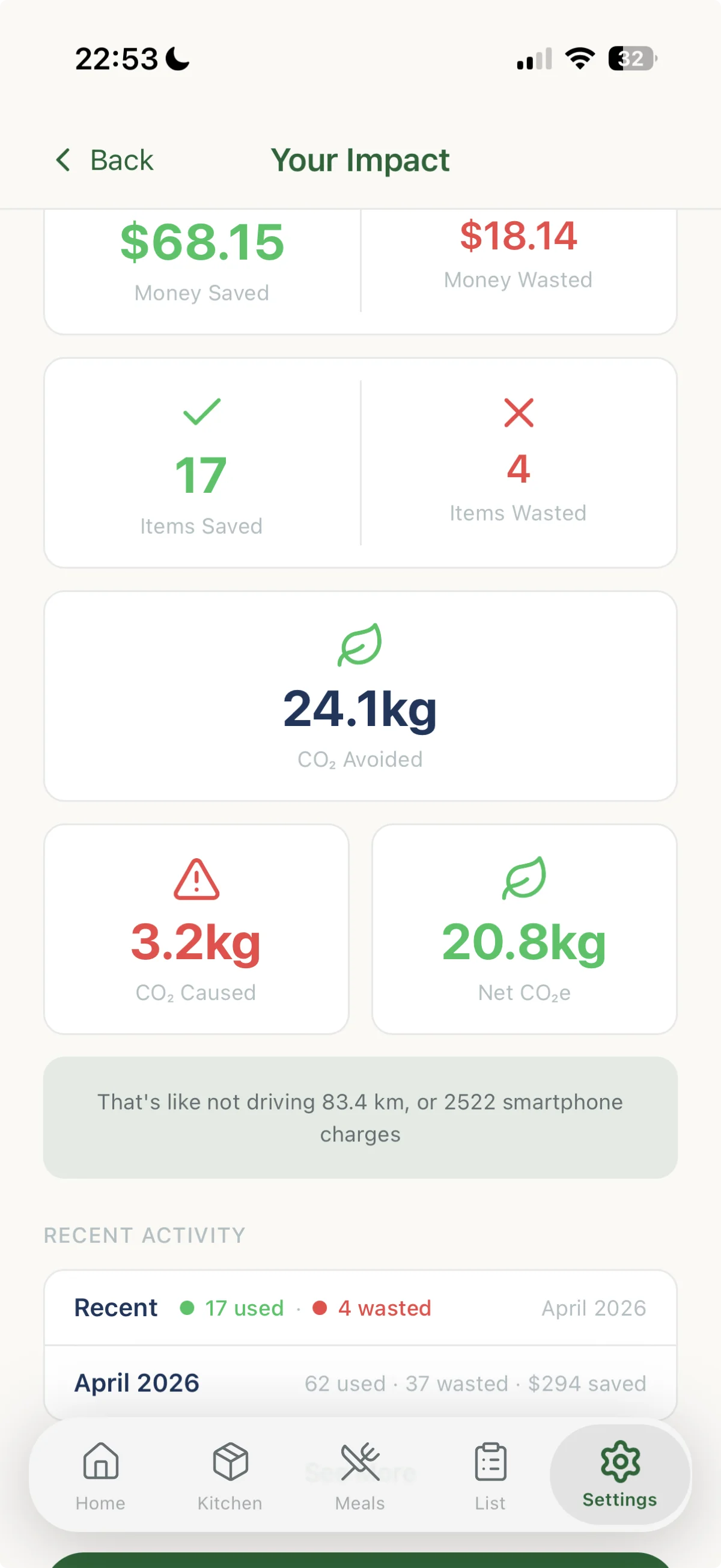
Money saved, items rescued, CO₂ avoided, with the arithmetic published.
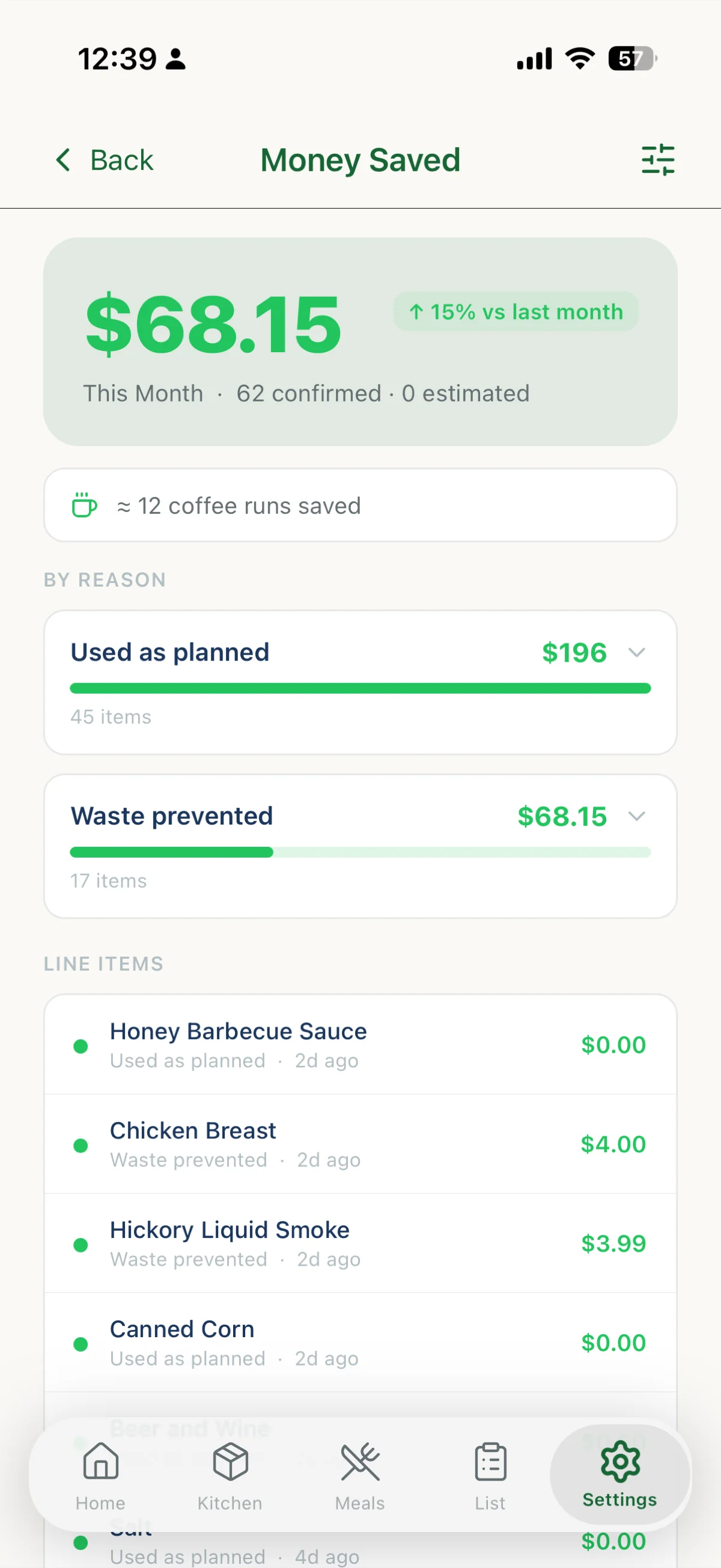
Filter by week, month, year or all time, and see how this month compares with last. CO₂ comes from EPA WARM data, shown as net figures and translated into something you can picture, like kilometres not driven. Numbers are marked confirmed or estimated, and the app explains why a figure might change rather than quietly revising it. See your savings rate against a typical household, watch a streak build for every day you actually rescue food, and share the card when it looks good.
Share it with the whole house.
One kitchen, one list, one meal plan, shared by up to 6 people and always in sync.
Invite housemates or family and everyone sees the same kitchen update the moment it happens. Items can stay personal or belong to the household, so your own shelf does not get muddled with everyone else’s.
Private by design.
No ads. No account needed to try it.
Everything stored on your device is encrypted with AES-256, with the key held in the iOS Keychain or Android Keystore. Guest mode lets you track up to 50 items without an email address. Analytics are off unless you turn them on. Works with VoiceOver and TalkBack, in 15 languages and 16 currencies, on phone and tablet alike.